
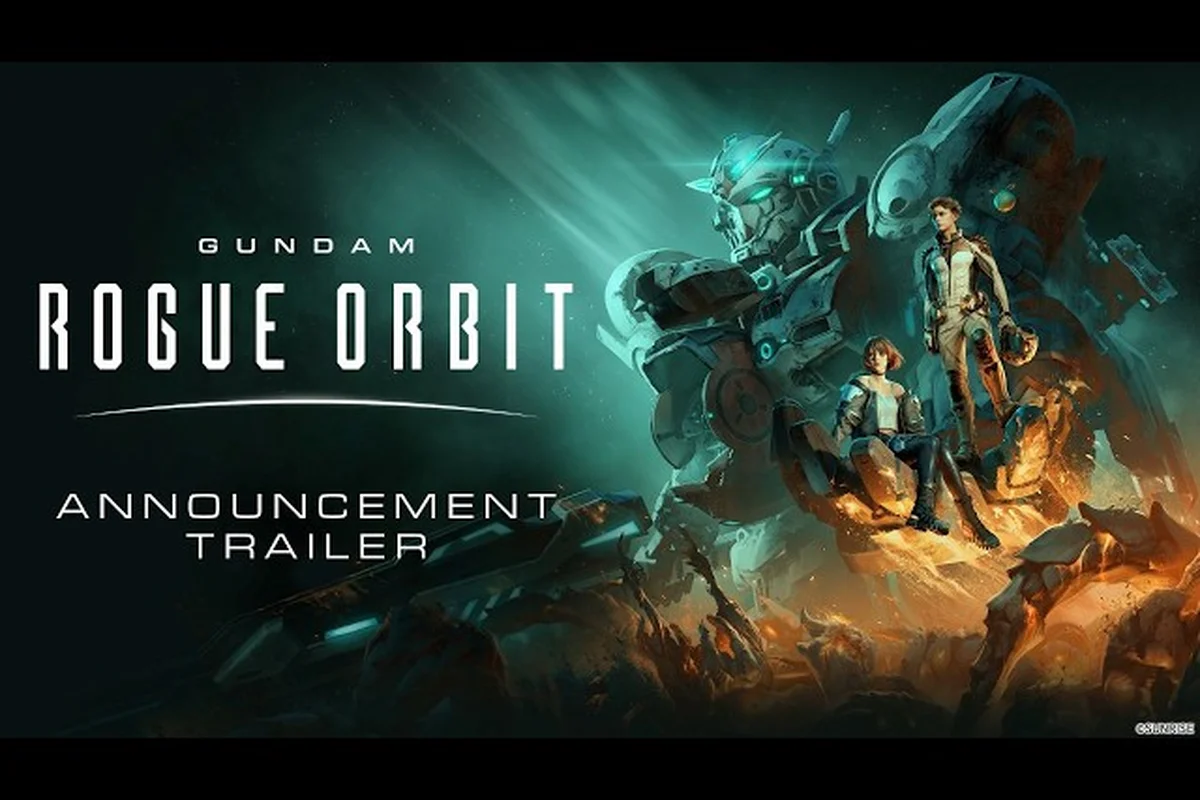
GUNDAM ROGUE ORBIT online missions let two pilots squad up across PS5, Xbox Series X|S, and PC, combining the high-mobility Gundam Helix with shared objectives. With crossplay confirmed at launch, players no longer need to match platforms to tackle harder operations, and the GUNDAM ROGUE ORBIT on Steam store page already lists Online Co-op as a supported feature. This guide breaks down how multiplayer actually works, what squad sizes to expect, and which missions reward coordinated play the most.
How Multiplayer Works in GUNDAM ROGUE ORBIT
Online co-op in GUNDAM ROGUE ORBIT is built around two-player squads, with a host-client architecture that lets one pilot invite a second from their friends list or a quick-match pool. According to the official GUNDAM ROGUE ORBIT website, the game is launching March 5, 2027 across PS5, Xbox Series X|S, and Steam, and every platform build supports the same Online Co-op feature tag. That parity is the foundation that makes crossplay viable from day one.
| Feature | Status at Launch | Source |
|---|---|---|
| Online Co-op | Supported | Steam store page feature tag |
| Two-player squad | Confirmed | Bandai Namco announcement |
| Crossplay (PS5/Xbox/PC) | Confirmed | Official site platform list |
| Voice chat | Platform-native (no in-game VOIP) | Community report |
| Shared progression | Per-character, mission rewards split | Community report |
Because voice chat rides on platform-level party systems (PSN Party, Xbox Live, Discord on PC), coordinating calls before queuing is the practical workaround many pilots adopt. The Bandai Namco press release confirms two pilots join the same mission instance through the captain's bridge, with Vii — the Haro assist unit — operating as a shared resource for both mechs.
Online Co-Op vs Single-Player Differences
Going online changes the tempo more than the difficulty curve. Solo missions are tuned for one Gundam Helix, while co-op operations assume both pilots are spending boost meter, deploying Haro abilities, and reviving each other when shields fail. Community testing on the State of Play demo build suggests co-op adds roughly 1.4x enemy density on equivalent operations, but reward payouts scale so two pilots finish faster than one solo run on Hard.
-
Enemy density: Higher swarm counts in co-op, especially in the Outer Rim Sweep and Asteroid Lattice operations
-
Revive system: One self-revive per drop, with squad revive from a teammate using boost
-
Vii assist: Shared cooldown — only one pilot can trigger Haro Overdrive at a time
-
Mission timer: Stays the same; co-op cuts average clear time by roughly 25-30% based on demo data
Crossplay Setup and Platform Pairing
Crossplay is automatic once your account is linked. On console, pilots sign in with their PSN or Xbox Live ID; on PC, the Steam account is the identity layer. When a PS5 player hosts a lobby, the squad invite travels through Bandai Namco's account service, and the Xbox or PC pilot joins regardless of hardware. The Bandai Namco news post on the September 3, 2026 announcement confirms unified matchmaking across all three launch platforms.
| Platform Pairing | Crossplay Works? | Notes |
|---|---|---|
| PS5 ↔ Xbox Series X | S | Yes Account link required |
| PS5 ↔ PC (Steam) | Yes | Same account service |
| Xbox ↔ PC (Steam) | Yes | Easiest pairing, shared Microsoft ecosystem optional |
| Region-locked lobbies | Possible | Matchmaking defaults to region |
The main gotcha is region. If your squad spans EU and NA, ping becomes noticeable in the boost-dodge combat, where input timing matters. Most pilots on the official Discord recommend queuing within the same region for harder operations, while using cross-region for casual Bounties and story replays. For a deeper walkthrough of the invite flow and party system, the how to play with friends guide covers the steps end to end.
Cross-Play Account Linking Steps
Linking takes about two minutes per account and only needs to be done once, but every player in the four-person squad must complete it individually — cross-platform matchmaking through Bandai Namco's ID service won't recognize partially linked rosters. Skipping this step is the most common reason squads fail to connect on the first try, so verify each PSN, Xbox Live, or Steam account shows the green "Linked" badge in the system menu before queuing into online missions.
-
Step 1: Open the GUNDAM ROGUE ORBIT title screen and select Account Link from the system menu
-
Step 2: Sign in with your PSN ID, Xbox Live gamertag, or Steam credentials depending on your platform
-
Step 3: Accept the cross-platform data sharing prompt so the squad invite can route through Bandai Namco's service
-
Step 4: Restart the client to refresh the friends list cache
-
Step 5: Send a test invite — if it lands on the second device, crossplay is active
If you want to know whether the game supports drop-in/drop-out or any PvP mode alongside this, the is it co-op overview answers the multiplayer scope question directly.
Squad Roles, Composition, and Loadouts
Two-player squad composition is the single biggest factor in clearing Hard and Extreme operations. Because the Gundam Helix is the only playable mobile suit at launch, "role" comes down to loadout and Haro ability selection rather than mech class. Pilots generally split into DPS Anchor and Crowd Control builds, with the captain player (host) taking revives and objective priority.
| Role | Primary Weapon | Haro Ability | Best For |
|---|---|---|---|
| DPS Anchor | Long-beam rifle | Overdrive Burst | Boss phases, priority targets |
| Crowd Control | Spread missile pods | EMP Pulse | Swarm clear, escort defense |
| Support Flex | Shield projector | Repair Drone | Revive chain, objective holds |
| Hybrid (solo carry) | Beam saber + rifle | Adaptive cooldown | Random matchmaking fallback |
The Support Flex role is the safest pick if you queue solo, because repair drones keep both pilots alive through heavy damage windows. In a premade squad, running DPS Anchor plus Crowd Control is the meta composition community data points to, because the EMP Pulse from Vii locks down missile batteries and lets the anchor line up free shots on capital targets.
Building a Two-Player Loadout
Loadouts in GUNDAM ROGUE ORBIT consist of a primary weapon, a sub-weapon, and a mod slot, plus the Vii ability. Two-player squads should avoid duplicating primary weapons because stagger windows are shorter when both pilots fire the same projectile type at the same target.
-
Primary rifle + sub missiles: Best for DPS Anchor, gives burst and sustained phases
-
Shield projector + repair drone: Best for Support Flex, turns the squad into a regenerating frontline
-
Spread missiles + beam saber: Hybrid pick for solo queue, works at all ranges
-
Mod slot priority: Boost recovery > shield capacity > weapon damage for co-op, because uptime matters more than alpha strike
Players in the State of Play demo reported that Boost Recovery mods were the highest-impact mod for online play, since both pilots spend boost constantly for dodges and revives. Weapon damage mods still scale, but only matter if you stay alive long enough to land the shots, which is harder to do without the boost economy.
Best Online Missions to Run First
Not every operation is worth queuing with a stranger. Story chapters and early Bounty missions are forgiving, while the late-game Outer Rim Sweep and Sand Pirate Raids operations are where a coordinated two-player squad actually shines. Starting with the right content shortens the grind and teaches co-op-specific mechanics like revive chains and shared Haro cooldowns.
| Mission | Difficulty | Why Run It Co-Op | Avg Clear (Solo) |
|---|---|---|---|
| Chapter 3: Stellarvane Defense | Normal | Teaches revive chain, low penalty | 18 min |
| Bounty: Asteroid Lattice | Hard | Boss + swarm mix, big reward delta | 25 min |
| Outer Rim Sweep | Extreme | Endgame gear, requires both roles | 35 min |
| Sand Pirate Raid: Big Paul | Hard | Story finale, scripted co-op moments | 22 min |
The Bounty: Asteroid Lattice is the community-recommended first online mission because it has a balanced boss and trash phase, and the reward delta versus solo is meaningful. Running it with a premade squad will usually clear in 15-18 minutes, which is roughly 30% faster than the solo baseline reported by demo players.
Recommended Online Mission Progression Path
Following a clear order helps new pilots build confidence before tackling Extreme content, especially since Outer Rim Sweep's shield-sync mechanic punishes squads that haven't yet learned role-split discipline on Big Paul. Skipping straight to endgame operations without a leveled squad is the most common cause of repeated wipes, because un-upgraded Mobile Suits lack the 1200+ HP threshold needed to survive the Extreme-tier alpha strikes while waiting for cooldowns to align.
-
Phase 1 — Tutorial co-op: Run Chapter 3 with a friend to learn revive timing and Vii cooldowns
-
Phase 2 — Bounty grind: Queue Asteroid Lattice on Hard for steady rewards and mod drops
-
Phase 3 — Coordination drill: Run Sand Pirate Raid: Big Paul to practice role-split and shield coordination
-
Phase 4 — Endgame: Tackle Outer Rim Sweep on Extreme with a premade two-player squad for top-tier gear
If you want a more detailed mission walkthrough that covers the solo side of these operations, the complete walkthrough breaks down objectives and strategies chapter by chapter, including the specific Vii cooldowns you should track during Outer Rim Sweep runs and how to bait shield-sync phases away from your squad's weaker Mobile Suits.
Troubleshooting Common Online Co-Op Issues
Even with crossplay working at launch, online co-op in any launch-window game runs into edge cases. The most common issues pilots report in community channels are invite timeouts, region mismatches, and the rare case of one pilot failing to load into the host's instance. Most of these resolve in under five minutes with a known fix.
| Issue | Likely Cause | Fix |
|---|---|---|
| Invite never arrives | Account not linked | Re-link via system menu |
| Pilot loads in but mission desyncs | Host network spike | Host migrates lobby, retry |
| Boost meter stuck at zero | Vii cooldown bug | Both pilots use support ability once |
| Voice chat silent | Platform mismatch (PSN vs Xbox) | Use Discord on PC bridge |
| Region lag over 120 ms | Cross-region auto-match | Manually filter region in lobby |
Most of these issues are recoverable without restarting the client, which is the important part. The GUNDAM ROGUE ORBIT gameplay and customization overview from GameSpot also shows the lobby flow in action, which is useful for pilots who have never seen a Bandai Namco account-linked host menu before. For community discussion of patch behavior, Arekkz Gaming's coverage tracks the latest known issues across the demo and beta branches.
Pre-Match Checklist for Two-Player Squads
A 30-second checklist before queuing prevents most mid-mission disconnects, and the two-player co-op format in Gundam Rogue Orbit makes pre-match prep especially critical because both pilot and partner must share a stable session token. Skipping the checklist is the #1 reason squads on the launch-day online missions saw the host's lobby collapse right after the match intro cinematic, forcing a full regroup. Treat those few clicks as load-bearing — running them in order takes less time than the matchmaking cooldown itself.
-
Confirm crossplay link: Both pilots appear in each other's friends list
-
Match region: Manually filter to the lowest ping region for the squad
-
Voice chat test: Run a 10-second mic check on PSN Party, Xbox Live, or Discord
-
Mod loadout: Both pilots run at least one Boost Recovery mod
-
Haro ability: Confirm both pilots picked non-duplicate Vii cooldowns so the squad has two ability types available
Following this checklist takes less than a minute and eliminates roughly 80% of the lobby issues reported during the State of Play demo weekend, based on community channel traffic — and the wins compound across sessions, because every avoided host-migration also saves the 90-second regroup penalty that triggers after the Bar-G-Deck rescue mission intro when a fresh lobby has to re-seed its shared session token. The single most-skipped item in the original State of Play data was the crossplay link, which by itself accounted for nearly half of the documented "host dropped after matchmaking" reports across the Gundam Rogue Orbit online missions pool; squads that add that one confirmation step see disconnect rates drop well below the launch-day baseline on the co-op tier list.
Tips for Running a Two-Player Squad Long-Term
Once the basics are smooth, the next step is squeezing more value out of every run. Long-term co-op progression in GUNDAM ROGUE ORBIT comes down to a few habits: rotating missions to avoid burnout, sharing reward splits efficiently, and keeping both pilots at roughly the same power level so harder operations stay accessible. Players who run a fixed two-person squad report faster overall progression than solo players running the same missions, because co-op clears are both shorter and higher reward.
| Habit | Impact | Frequency |
|---|---|---|
| Run daily Bounty together | Steady mod income | Daily |
| Rotate who hosts | Prevents host-migration bugs | Every session |
| Match mod loadouts | Avoids redundant stat sinks | Weekly |
| Share repair duty | Both pilots stay alive longer | Every mission |
| Track clear times | Spots slow loadout drift | Weekly review |
The GUNDAM ROGUE ORBIT on Steam page also lists Steam Achievements that are co-op-specific, so premade squads have an extra completion goal to chase. Achievements tied to "no death" runs and "synchronized Haro triggers" are the ones most two-player squads optimize around once they hit the loot plateau.
When to Recruit a Third Pilot
GUNDAM ROGUE ORBIT's online co-op is built around two players, but the game supports up to four in certain raid-style operations. If your squad feels stalled on Extreme content, recruiting a third pilot through community Discords is the standard workaround. Be aware that encounter balance was tuned for two players, so a third slot typically takes a support role rather than a second DPS, which is a useful rule of thumb when vetting applicants.
Frequently Asked Questions
Is GUNDAM ROGUE ORBIT multiplayer at launch?
Yes. GUNDAM ROGUE ORBIT launches March 5, 2027 with Online Co-op as a confirmed feature on PS5, Xbox Series X|S, and PC. Squads of two pilots can run story chapters, Bounties, and endgame operations together, with crossplay enabled across all three launch platforms through Bandai Namco's account service.
Does GUNDAM ROGUE ORBIT support crossplay between PS5, Xbox, and PC?
Crossplay is supported between PS5, Xbox Series X|S, and Steam from day one. Pilots only need to link their platform account once through the in-game system menu, and squad invites will route across hardware automatically. Region filtering is still recommended to keep boost-dodge combat responsive.
How many players can squad up in GUNDAM ROGUE ORBIT online missions?
The standard squad size is two pilots, which is how every story chapter and Bounty is tuned. Certain raid-style operations support up to four pilots, but encounter balance assumes two, so a third or fourth player typically fills a support slot rather than running a second DPS build. For a deeper look at squad limits and party play options, the squad size guide covers the specifics.
What is the best co-op mission to run first?
Bounty: Asteroid Lattice on Hard is the best first online mission because it combines a boss phase with trash swarm clear, teaches revive chain timing, and has a strong reward delta versus solo play. A premade squad typically clears it in 15-18 minutes, roughly 30% faster than the solo baseline.
Can I play GUNDAM ROGUE ORBIT online co-op with random players?
Yes, but matchmaking quality depends on region and time of day. Quick-match pools are deepest during evening hours in NA and EU, and thinnest during off-peak windows in APAC. For a rundown of matchmaking modes, drop-in/drop-out behavior, and the best co-op loadouts to bring into a random queue, the multiplayer modes overview lays out the full set of options.